

Your eyes feel tired and gritty after a long day staring at screens. You rub them constantly, squint at your computer, and notice headaches creeping in by afternoon. If this sounds familiar, you may be experiencing digital eye strain—a condition affecting millions of people who spend hours each day looking at phones, tablets, and computers.
Digital eye strain happens because your eyes work harder when focusing on screens, blinking less frequently and processing artificial light in ways that cause fatigue and discomfort. The good news? You can actively combat digital fatigue by following 4 essential habits: implementing the 20-20-20 rule, adjusting your physical screen setup, managing environmental lighting, and prioritizing conscious blinking and breaks.
What Is Digital Eye Strain?
Digital eye strain develops when your eyes become fatigued from intense use of digital devices. Unlike reading a book or looking at printed materials, screens force your eyes to constantly refocus on pixelated images while processing blue light emissions. Digital eye strain research shows that this condition affects the majority of screen users.
You might notice several symptoms after extended screen time:
- Tired, dry eyes
- Blurred vision
- Headaches
- Neck and shoulder tension
- Difficulty focusing
Your eyes work differently when viewing screens compared to other activities. The constant micro-movements required to focus on pixels, combined with reduced blinking rates, create the perfect storm for eye fatigue and dryness.
Follow the 20-20-20 Rule for Instant Relief
Every 20 minutes, look at something 20 feet away for at least 20 seconds. This simple technique gives your eye muscles a chance to relax and reset, similar to stretching your legs during a long car ride.
Set phone reminders to prompt regular breaks during busy workdays. You can also use natural cues, like taking a sip of water or checking the weather outside, as reminders to look away from your screen.
This method works because it allows your focusing muscles to release tension. When you stare at close objects for hours, these muscles become locked in one position, leading to fatigue and strain.
Adjust Your Screen Settings and Position
Screen Distance and Height
Position your computer screen 20–26 inches from your eyes, or roughly an arm’s length away. This distance allows your eyes to focus comfortably without straining.
Your screen’s top should sit at or slightly below eye level. This positioning keeps your neck in a neutral position and helps your eyes look slightly downward, which feels more natural and reduces dry eye symptoms.
Brightness and Contrast Settings
Match your screen brightness to your surrounding environment. If your screen glows like a bright light in a dim room or appears grey in bright sunlight, adjust accordingly.
Increase text size to reduce squinting and eye strain. Most devices allow you to enlarge fonts system-wide, making reading more comfortable without affecting screen quality. If you find yourself squinting frequently, you might need a professional vision assessment.
Control Lighting Around Your Workspace
Position your screen perpendicular to windows to minimize glare. Overhead lighting should be about half as bright as typical office lighting, and consider using adjustable blinds to control natural light throughout the day.
Avoid working in darkness with only your screen providing light. This creates excessive contrast and forces your pupils to constantly adjust, leading to faster eye strain.
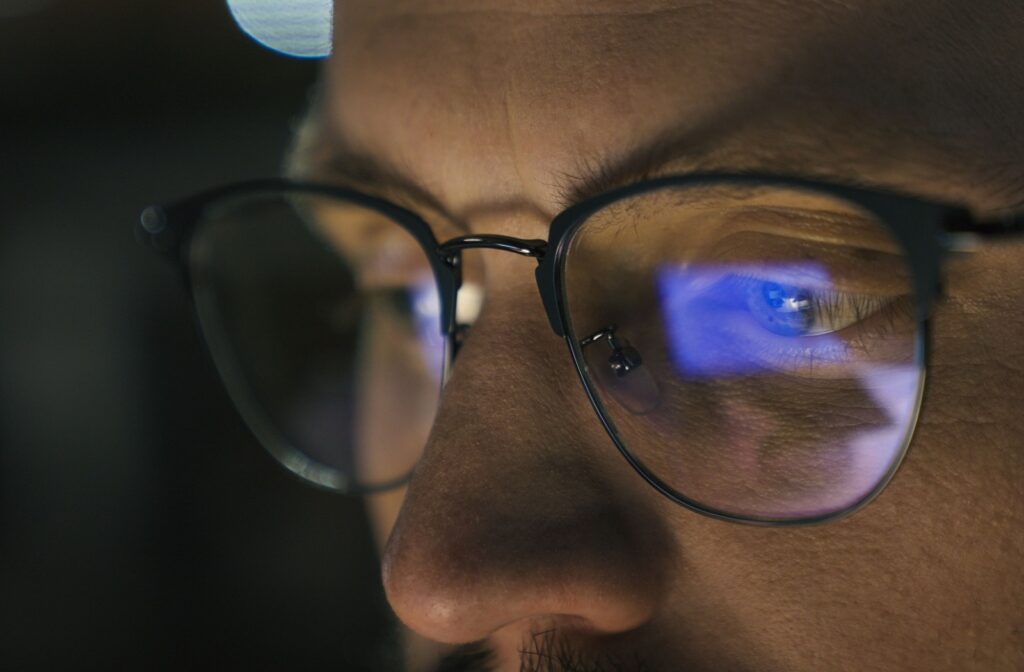
Blue light from LED bulbs, phones, and computer screens can contribute to eye strain and disrupt sleep patterns. Consider warmer lighting options in your workspace, especially during evening hours. In addition, blue light–filtering lenses can help reduce digital eye strain and support more comfortable screen use throughout the day. These lenses are designed to filter portions of high-energy visible light, which may lessen visual fatigue for people who spend long hours on devices. At Sage, we recommend blue light lenses for anyone who regularly uses digital screens, and our team can help you choose options that best suit your visual needs and lifestyle.
Take Regular Breaks and Blink More Often
You normally blink about 15 times per minute, but this rate drops by half when looking at screens. Conscious blinking helps spread tears across your eyes, keeping them moist and comfortable. Taking regular screen breaks is also a great time to refresh your eyes with preservative-free artificial tears, which can provide added lubrication and comfort without the potential irritation preservatives may cause with frequent use. Different formulations are available at Sage Eyecare depending on the severity of dryness, and our team can help recommend the most appropriate option for your needs.
Try simple eye exercises during breaks: close your eyes for a few seconds, roll them gently in circles, or focus on distant objects outside your window. These movements help relax tired eye muscles.
End the Strain
Our team at Sage Eyecare combines decades of knowledge with modern diagnostic tools to provide personalized solutions for your digital eye strain. In addition to comprehensive eye exams and an extensive eyewear gallery, we also offer a dedicated dry eye clinic with advanced treatment options such as radio frequency (RF) and intense pulsed light (IPL) therapy to address the root causes of dry eye. Stop by our clinic to explore professional dry eye products or book an appointment for a thorough evaluation of your eye health and a customized treatment plan.